Live Branch Monitoring
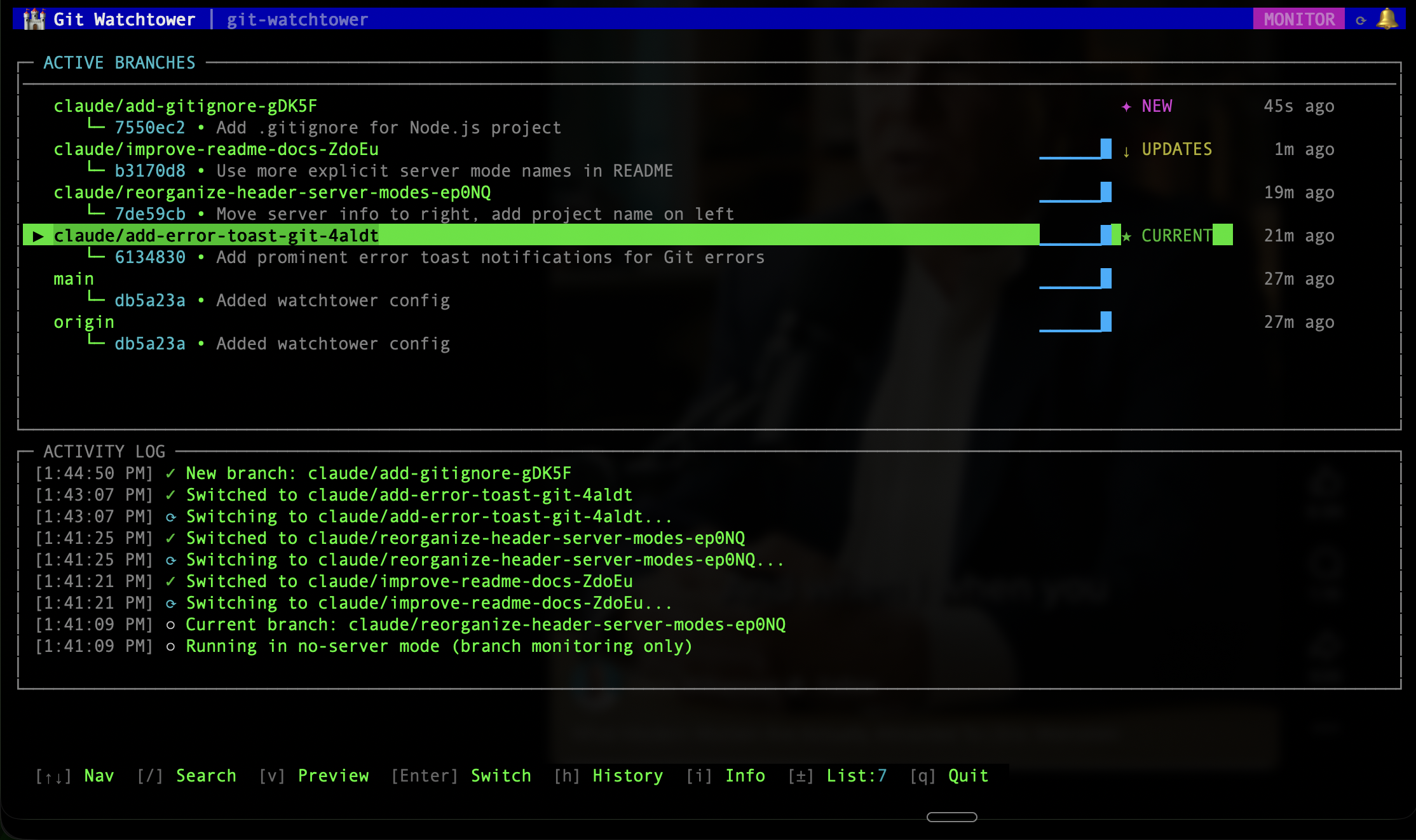
Know instantly when a branch gets new commits. Ahead/behind counters, status badges, and activity sparklines show you what changed at a glance.
When you’re using AI coding agents on the web — Claude Code, OpenAI Codex, and others — they create branches and push commits while you’re not looking. You end up with multiple branches to check on and no easy way to know when they’ve been updated or what changed.
Git Watchtower watches your remote and notifies you when branches are updated. Preview what changed, switch with a keypress, undo if needed.
Live Branch Monitoring
Know instantly when a branch gets new commits. Ahead/behind counters, status badges, and activity sparklines show you what changed at a glance.
Web Dashboard
Full browser-based dashboard with PR workflows, CI status, and session statistics. Launch with --web and manage everything without touching the terminal.
Instant Notifications
Audio and visual alerts the moment a branch updates. Never miss an AI agent finishing its work.
Quick Branch Switching
Switch branches with a single keypress. Preview commits and changed files first. Undo if you don’t like what you see.
Auto-Pull
Your current branch stays up to date automatically. Remote changes get pulled without you lifting a finger.
Zero Dependencies
Built entirely on Node.js built-ins. No dependency tree. Installs in seconds.
Launch a browser-based dashboard alongside the terminal UI:
git-watchtower --web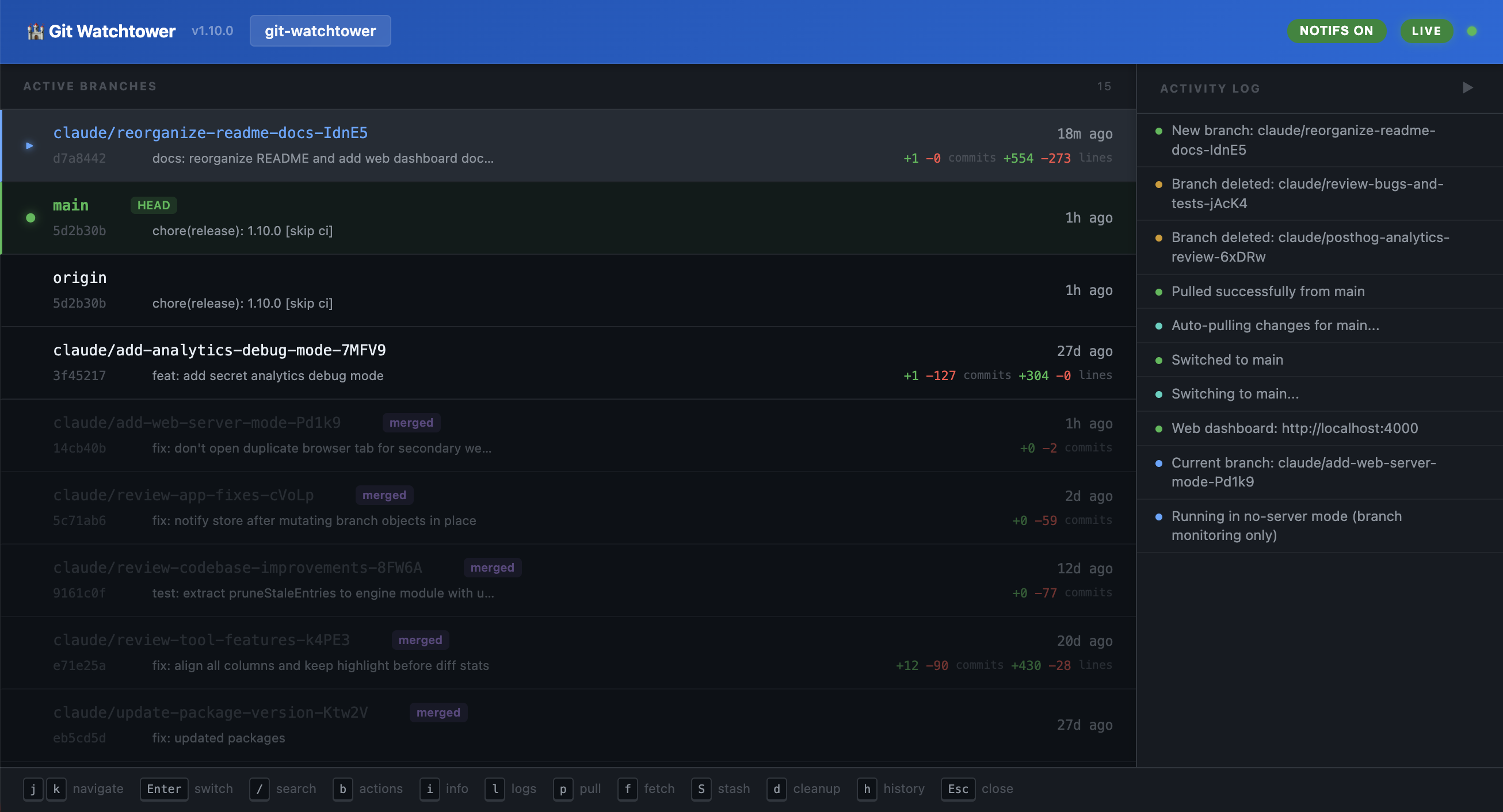
The web dashboard provides real-time branch monitoring, PR workflows, CI status, session statistics, and more. When running multiple instances across different projects, they coordinate automatically into a single multi-project dashboard.
Run a static file server with live reload, or wrap your own dev server command (Next.js, Vite, Nuxt, etc.) — all while monitoring branches.
# Static site with live reload (default)git-watchtower
# Wrap your own dev servergit-watchtower --mode command -c "npm run dev"
# Branch monitoring onlygit-watchtower --no-server# Install globallynpm install -g git-watchtower
# Navigate to any git repo and runcd your-projectgit-watchtower
# Or run directly with npxnpx git-watchtowerOn first run, you’ll be guided through a configuration wizard.